Make a difference
Would you help someone nearby if they needed it? AidPoint, where the will of society meets the needs of its citizens. Be part of building tomorrow’s global safety net of local, real-time human responders.
- Not just an app - a new layer of community safety infrastructure
- It’s collective presence — and individual action through a good deed
- Feeling unsafe is a global trend we aim to reverse


Why AidPoint?
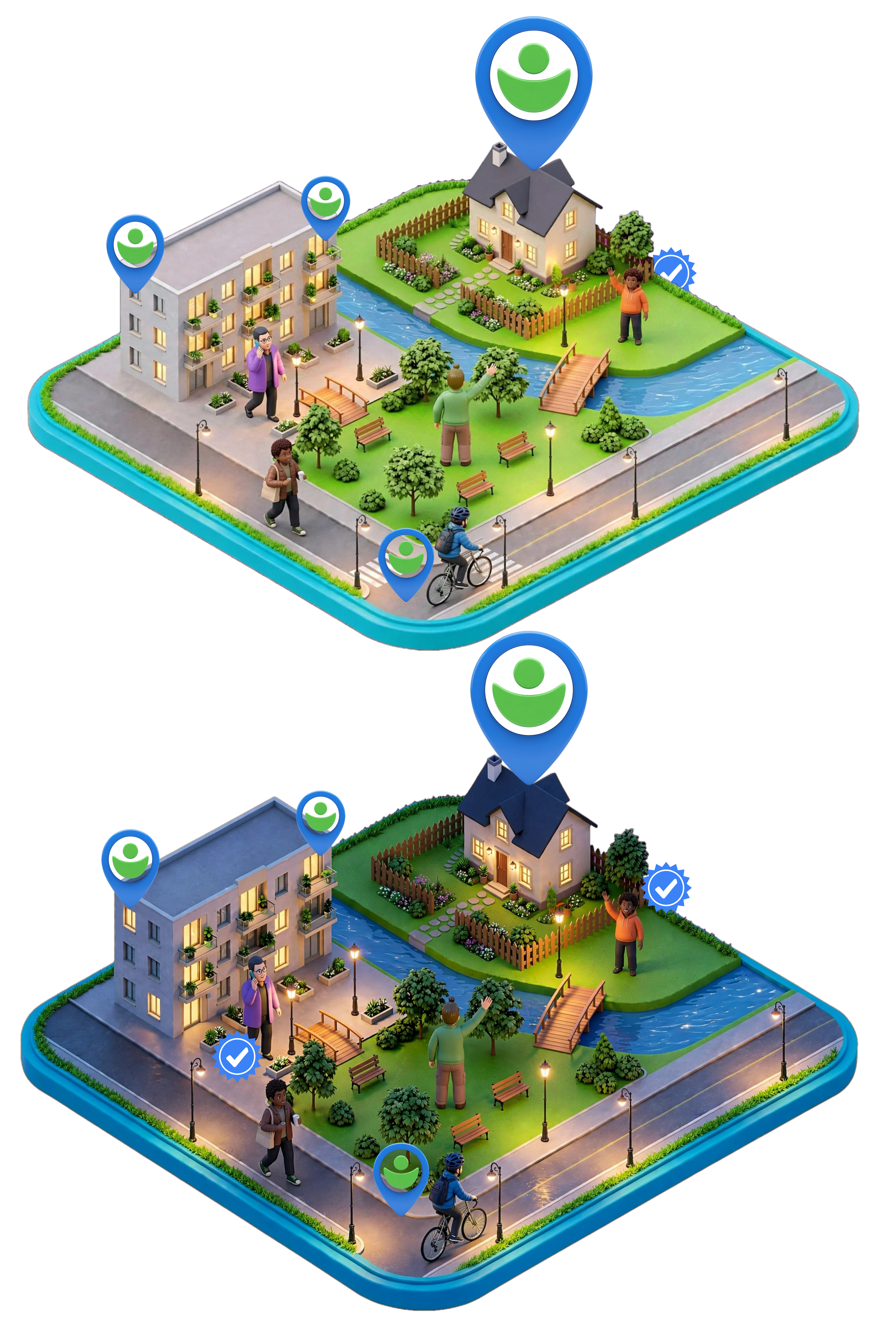
AidPoint is built on a simple but powerful idea: in every community there are people who want to help others – AidPoint Responders. There are also homes, businesses, and public places that can serve as temporary Safe Places.
Not everyone has someone close by to turn to. Perhaps you are new to the area, new school campus, traveling in an unfamiliar city, or simply alone for the moment while on the go. AidPoint offers neighborly help for our time, a network of Responders and Safe Places ensures that support is close at hand whenever you or someone you know needs it — wherever you are. It is crowdsourced safety in real time.
Low individual effort with extremely high collective impact. We measure success in safety, not in the number of alerts. The more people in the network, the safer society becomes for everyone – even if the app is never needed.







Get started
Roles, flows, zones and places
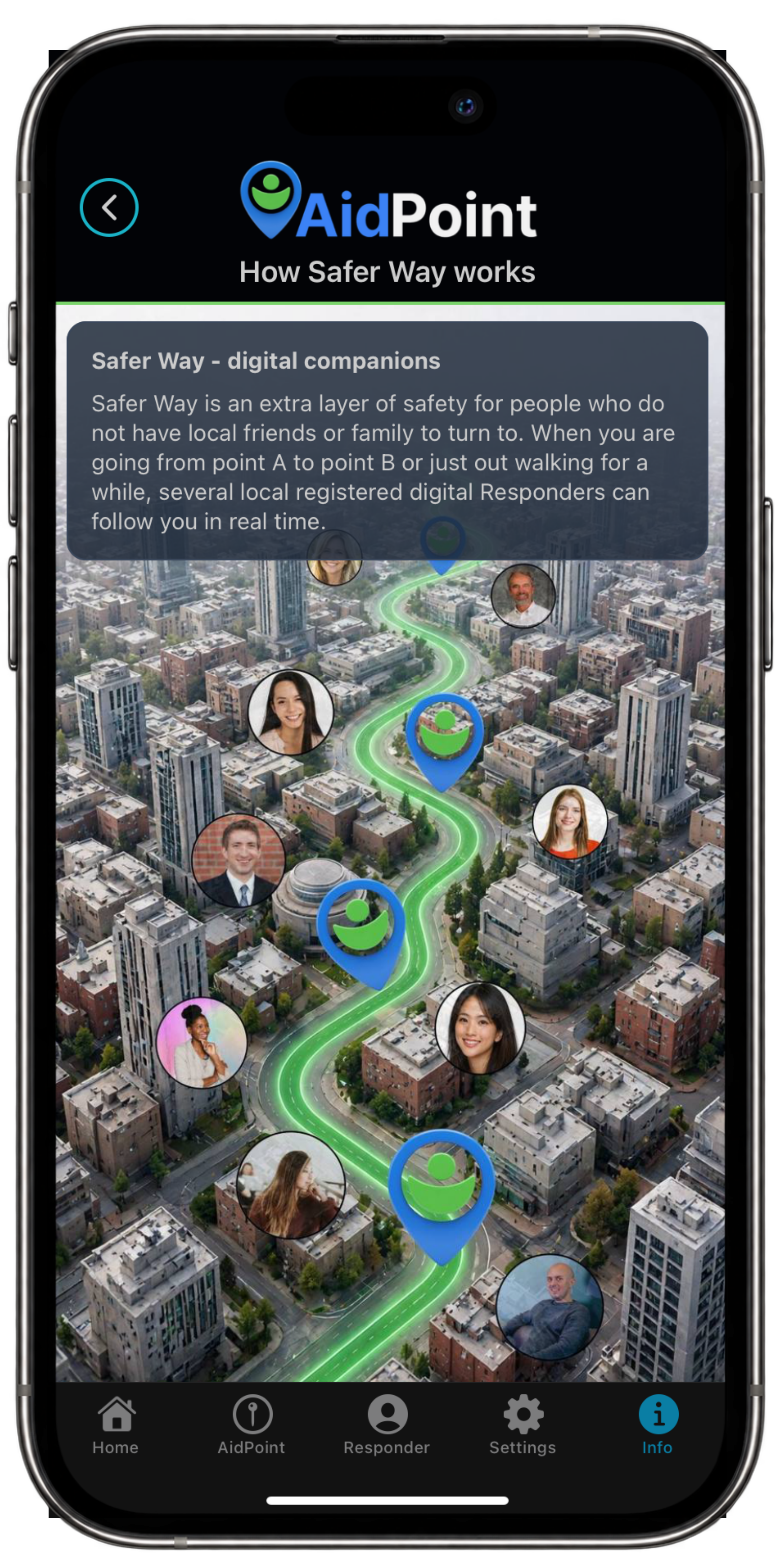
Safer Way (flow)
You as a Responder (role)
Register a Safe Place (role and place)
Geofencing Safe Place (zones)
Help Where You Are (flow)
Person seeking help (role)
Local Point (place)
Safe to join - helping is a given
- If someone else needs help, if something happens nearby — because you want to be a good person
- Voluntary — you can pause or stop at any time
- It’s about safety for everyone — the likelihood that help is nearby
FAQ - click to open FAQ - click to close
How do I register?
Sign-up is all in the app. You can also add a Safe Place to your profile if you’d like to temporarily offer shelter to someone who feels unsafe, scared, or needs help moving on or reaching family.
How do I register my company as a Safe Place?
You can sign up your company as a Safe Place in the app. If your your company have many locations you can contact us at hi@aidpointapp.com for help settings it up.
Is AidPoint free?
Yes. 100% free. We don’t sell help — we make help more likely to be nearby, and let AidPoint Responders follow you digitally on your way.
Do I need to be active all the time as a Responder or Safe Place?
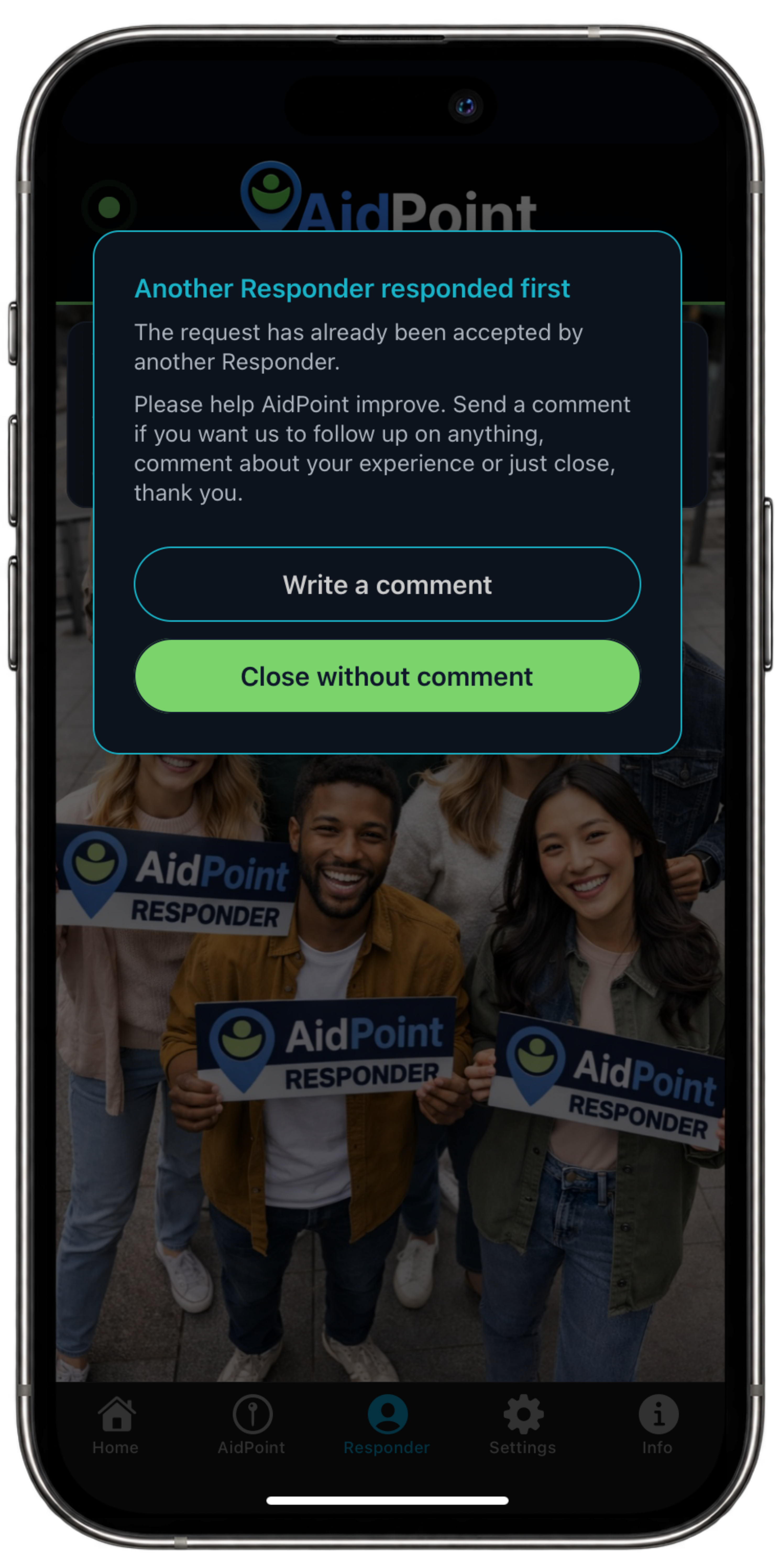
No. You’re always in control. AidPoint is meant to be a passive network with an active effect. When an alert goes out and you’re nearby, you can — as a Responder or Safe Place — accept, decline, or just let it time out. You can also temporarily set your Safe Place to inactive when you’re away.
Do I have to register a Safe Place?
No, you don’t. You should feel safe too when welcoming someone who needs temporary support to your door. You never have to let anyone inside if you’re not comfortable — sometimes it’s just about meeting them at the door and helping them on their way. And AidPoint logs everything that happens.
Does AidPoint replace 112?
No. In acute emergencies you should always call 112. For an Prioritized Help case in AidPoint, the system will always look for two (2) Responders — both will be prompted to also call emergency services once the case is accepted.
What information does a Responder see about the person seeking help?
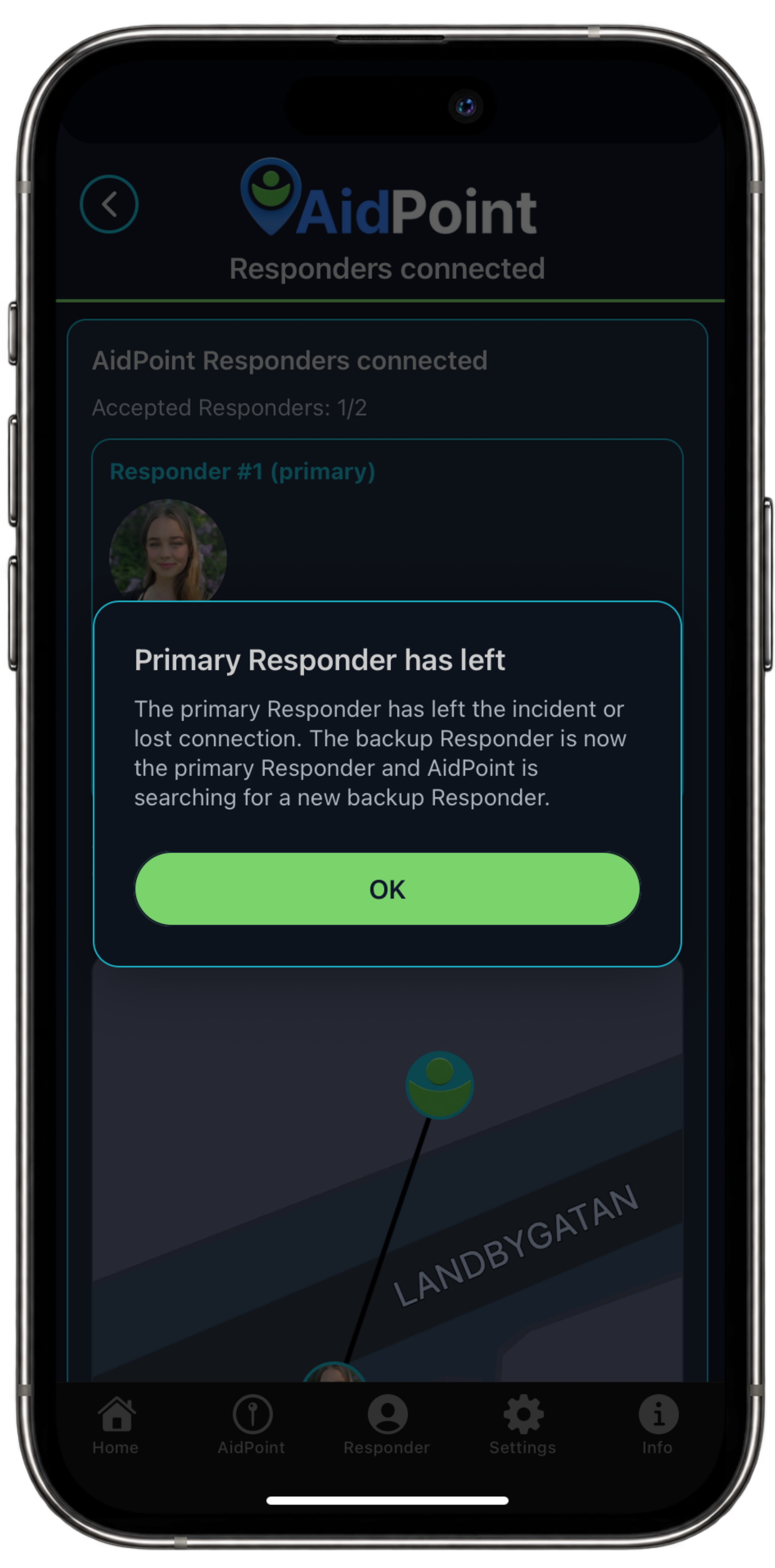
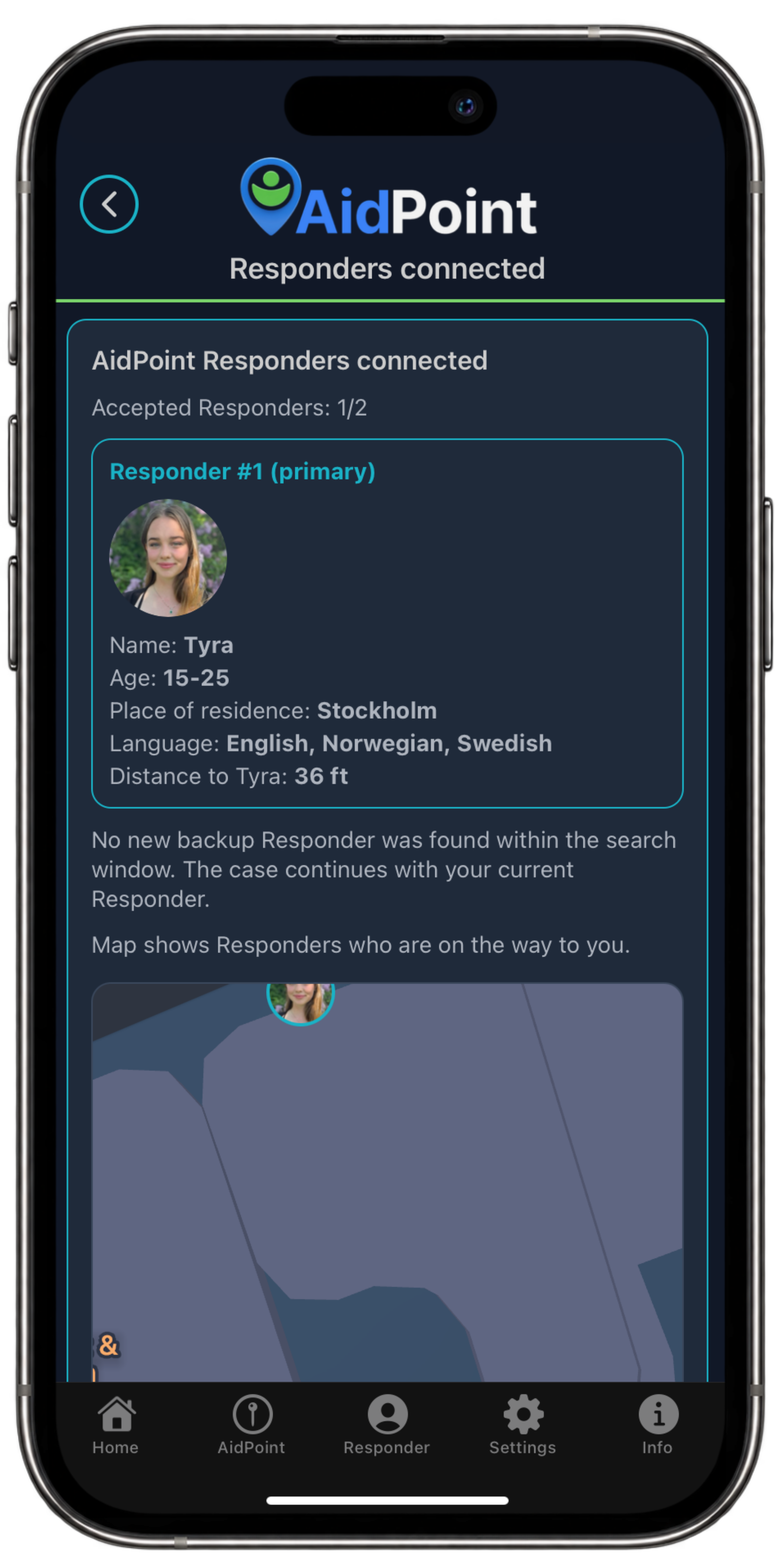
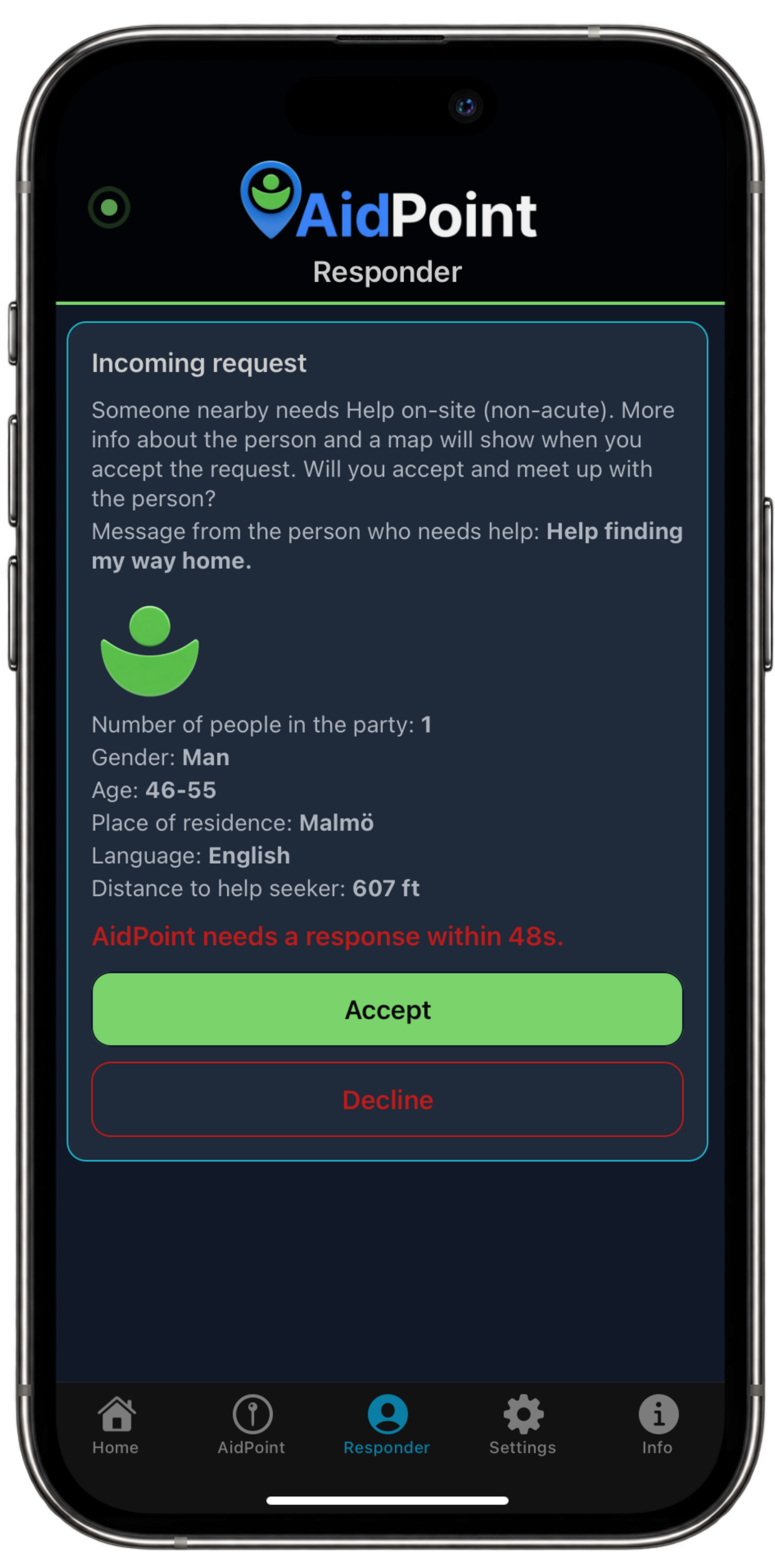
When a person seeking help submits a case, Responders in the nearby area can see what the person wrote in the free-text field (what happened) and how far away the person in distress is. The Responder also sees gender, age range, hometown, and language. When the Responder accepts the case, information available from the user’s public profile is shown: first name, gender, age range, hometown, language, and profile picture if one has been uploaded to the system. Upon acceptance, a map is also shown to both parties so they can see where the other person is. For a Safer Way case, only the person doing the following can see the map. In all cases, the parties can chat with each other. Everything is logged in AidPoint.
What information does the helpseeker see about the Responder?
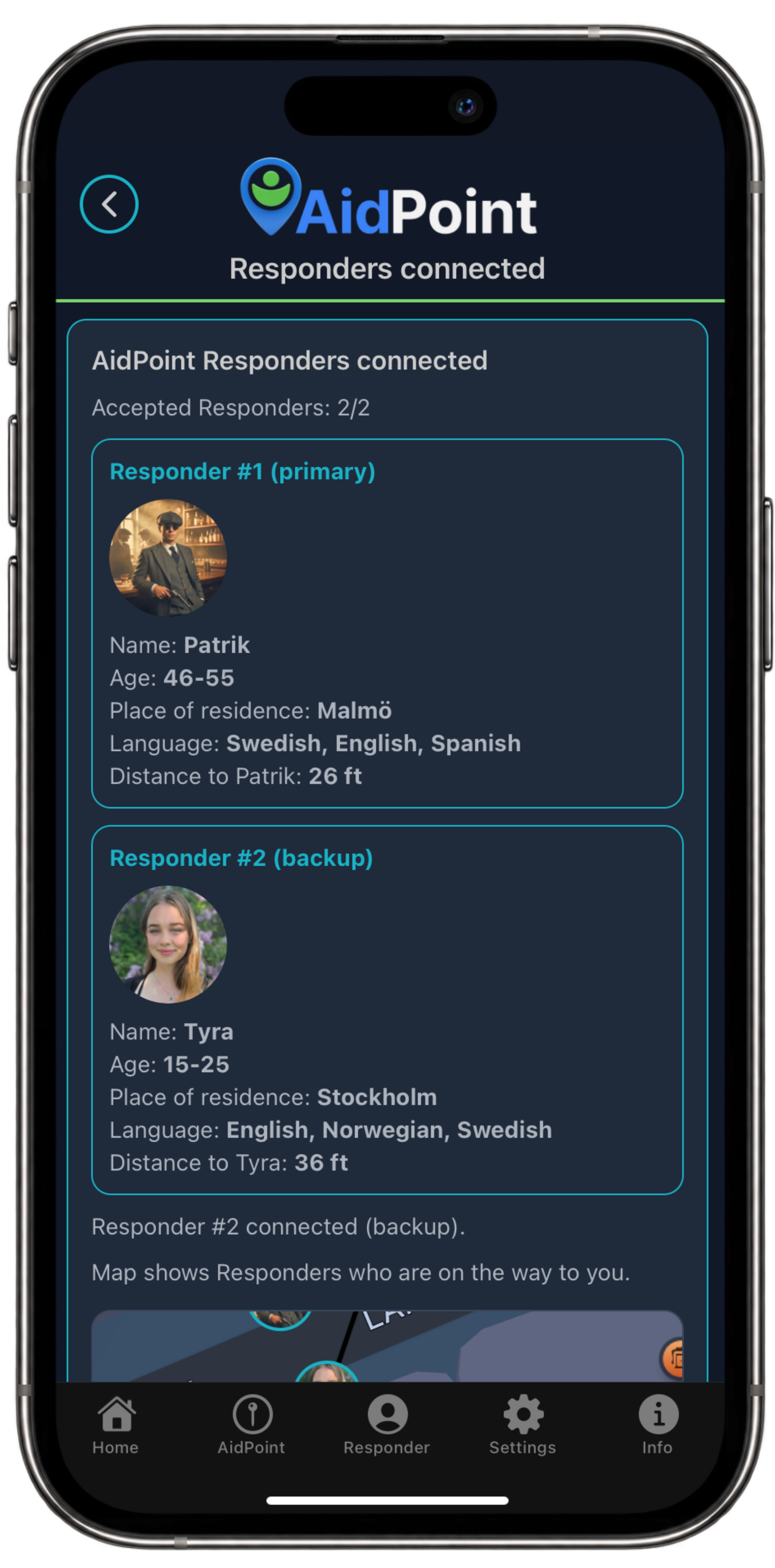
When helpseeker submits a case and a Responder has accepted it, the information available from the user’s public profile is shown: first name, gender, age range, hometown, language, and profile picture if one has been uploaded to the system. Upon acceptance, a map is also shown to both parties so they can see where the other person is. For a Safer Way case, only the person doing the following can see the map. In all cases, the parties can chat with each other. Everything is logged in AidPoint.
What information does a Safe Place see about the helpseeker?
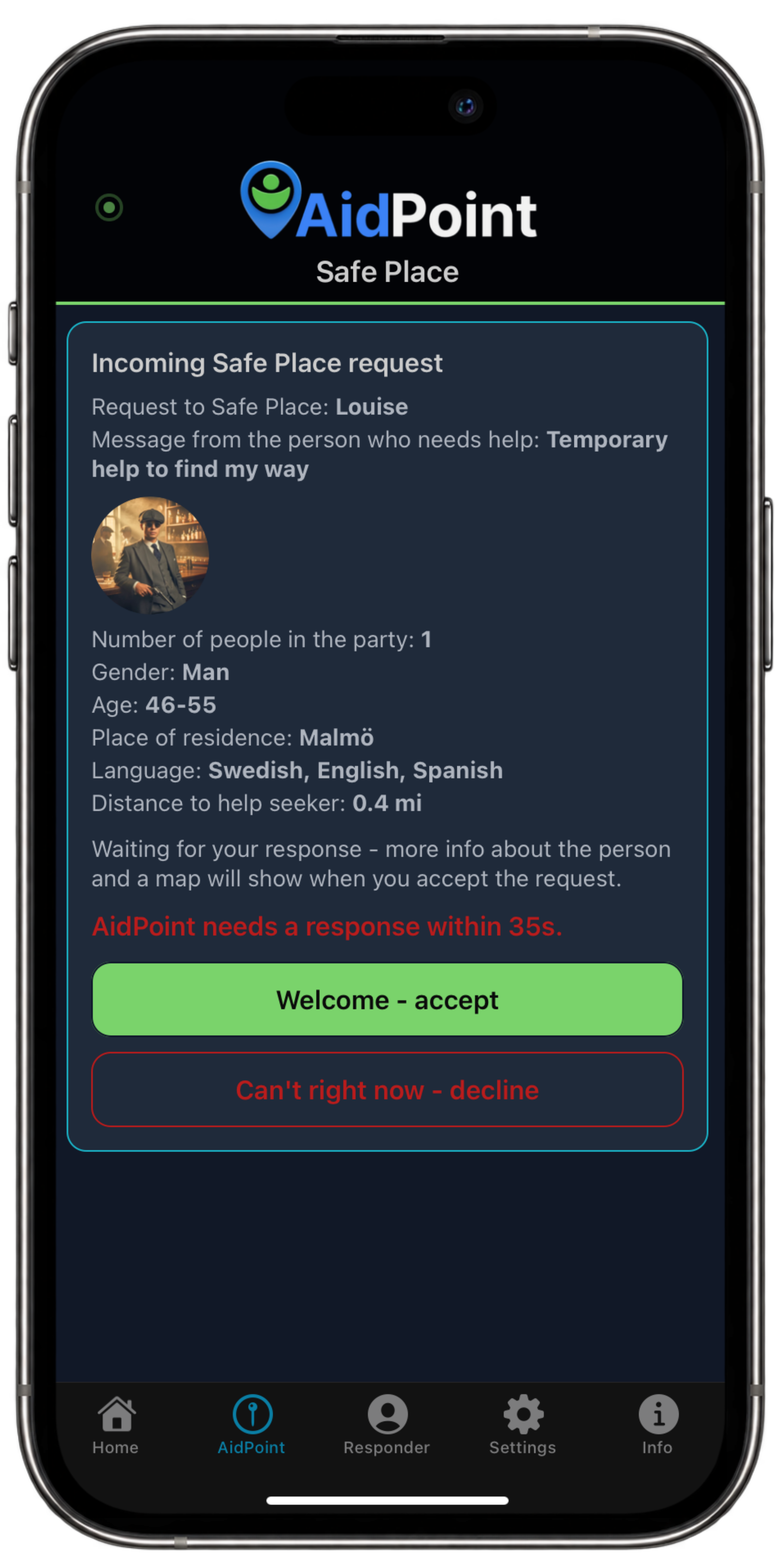
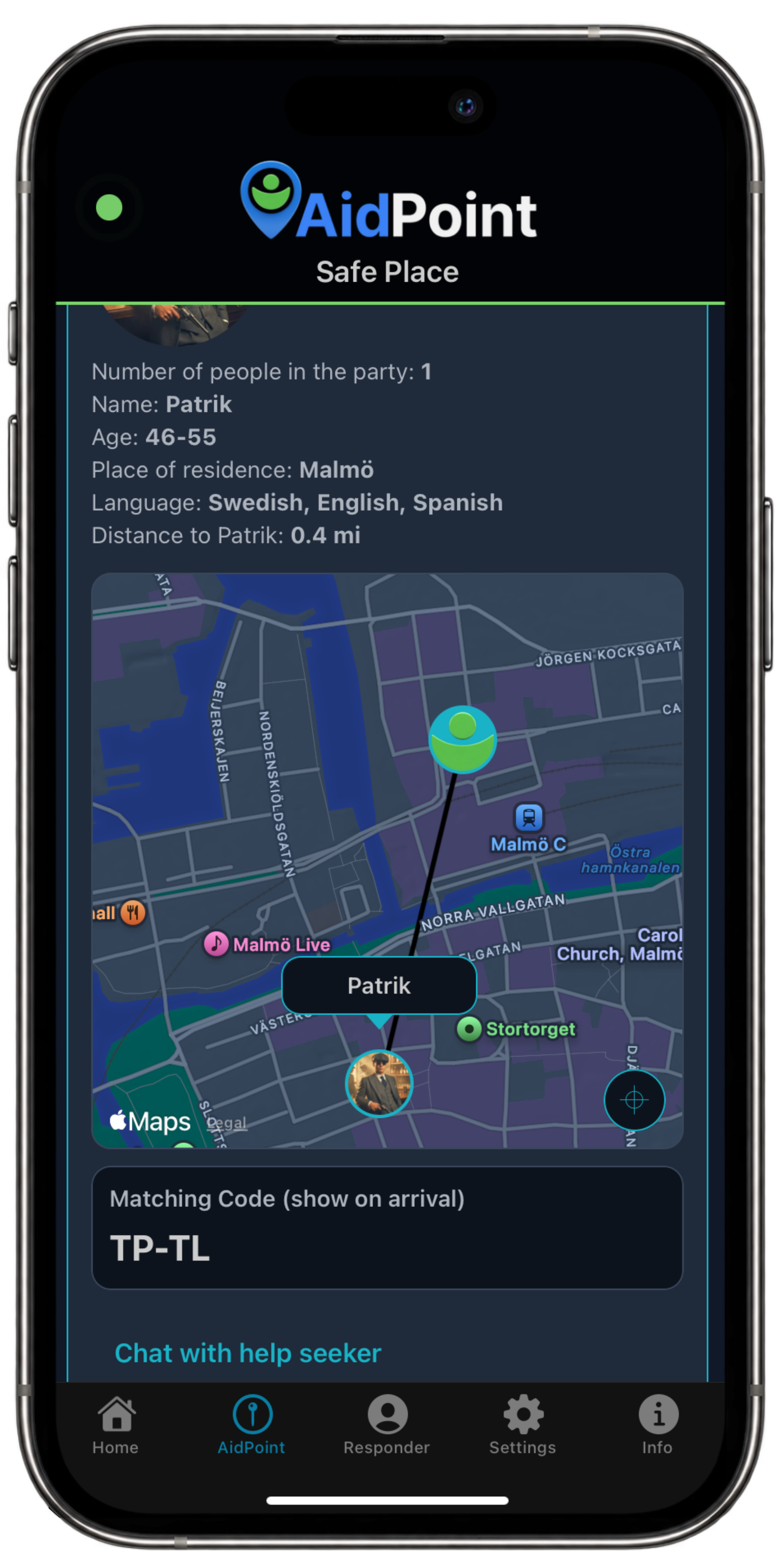
When a request is sent to Safe Place, Safe Place can see what the person seeking help wrote in the free-text field and how far away the person seeking help is. Safe Place also sees gender, age range, hometown, and language. When Safe Place accepts the case, the information available from the user’s public profile is shown: first name, gender, age range, hometown, language, and profile picture if one has been uploaded to the system. Upon acceptance, a map is also shown to both parties so they can see where the other person is. For a Safer Way case, only the person doing the following can see the map. In all cases, the parties can chat with each other. Everything is logged in AidPoint.
What information does the helpseeker see about a Safe Place?
When the person seeking help searches for Safe Place, a list of AidPoint Safe Places in the nearby area is shown, sorted by distance. For each Safe Place, the first name of the person who registered the Safe Place and that person’s age range are shown. Then type (e.g., house, townhouse, apartment, gym, office), category (e.g., private, business, municipal, public place), and languages spoken at the Safe Place are shown. When Safe Place has accepted the request, the information available from the user’s public profile is shown: first name, age range, gender, language, type, category, address, and profile picture if one has been uploaded to the system. Upon acceptance, a map is also shown to both parties so they can see where the other person is. For a Safer Way case, only the person doing the following can see the map. In all cases, the parties can chat with each other. Everything is logged in AidPoint.
What do users see about each other during digital following, Safer Way?
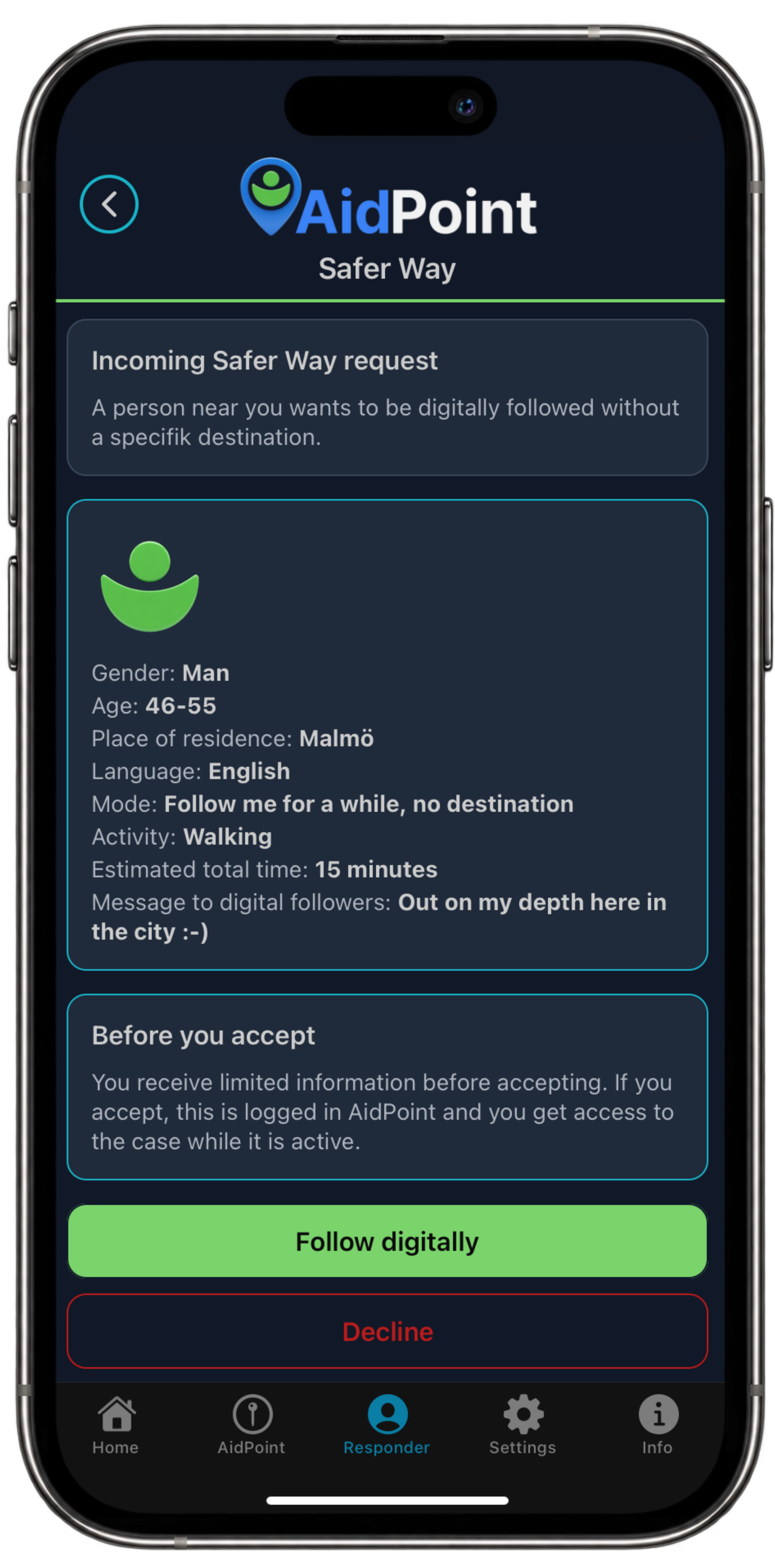
When a person seeking help submits a Safer Way case, it goes out to AidPoint Responders nearby or along the route the person seeking help has chosen from start to destination. The Responder sees gender, age range, hometown, language, which activity has been selected (e.g., walking, running, cycling), the estimated time the person seeking help has chosen, and a message from the person seeking help. Upon acceptance, first name, gender, age range, hometown, and the distance to each other are shown. For a Safer Way case, only the person doing the following can see the map. In all cases, the parties can chat with each other. Everything is logged in AidPoint
What is a matching code?
In every case that has been accepted between two parties where they meet someone physically to help or be helped, a "matching code" is created that each party in the case must show so they know they are meeting the right person. This applies to all cases except Safer Way, which is digital following.
How does the chat work?
A simple chat function starts between the parties in each case after a case has been accepted. The chat has pre-written messages and also the option to write your own messages. All pre-written messages are translated into each user’s selected language (the phone’s set region). The chat is automatically closed and no longer shown after the case has been completed.
Can I as a woman ask to only be digitally followed by other woman?
Yes, when you ask to be digitally followed by local AidPoint Responders you can ask for woman followers only.
What is logged?
Everything is logged in AidPoint for everyone’s safety. When a case is closed, neither party involved in the case can see information about the other party, chat history, or similar afterwards.
What is the goal of AidPoint?
Safety for everyone through civil society response (AidPoint Responders) and local safety networks (AidPoint Safe Places). A data-driven safety platform with AI-based risk assessment, risk zones, safer routes, heatmaps, and predictive safety analytics for our community.